

In the world of social media, visuals are everything.
Whether you're promoting your brand or engaging your audience, perfectly optimised images can make or break your marketing campaign. However each platform has its own specifications, and keeping track of all the sizes can be overwhelming.
That's why we've created this 2025 Social Media Image Sizes Guide, a comprehensive cheat sheet to help you create content that looks flawless on every platform. From Facebook to TikTok, we've covered all the essential dimensions you need.
Bookmark this guide and never let poor image quality affect your brand's reputation again.
Key Takeaways
- Social media visuals are critical for engagement, branding, and performance; optimising image sizes ensures professionalism and better results.
- Each platform has specific image dimensions that must be followed to avoid issues like pixelation or cropping.
- Key sizes per platform:
- Facebook: Profile (170x170px), Cover (820x312px desktop), Stories/Reels (1080x1920px)
- Instagram: Profile (320x320px), Square Post (1080x1080px), Stories/Reels (1080x1920px)
- X (Twitter): Profile (400x400px), Header (1500x500px), Single Image Tweet (1600x900px)
- LinkedIn: Profile (400x400px), Personal Background Photo (1584x396px)
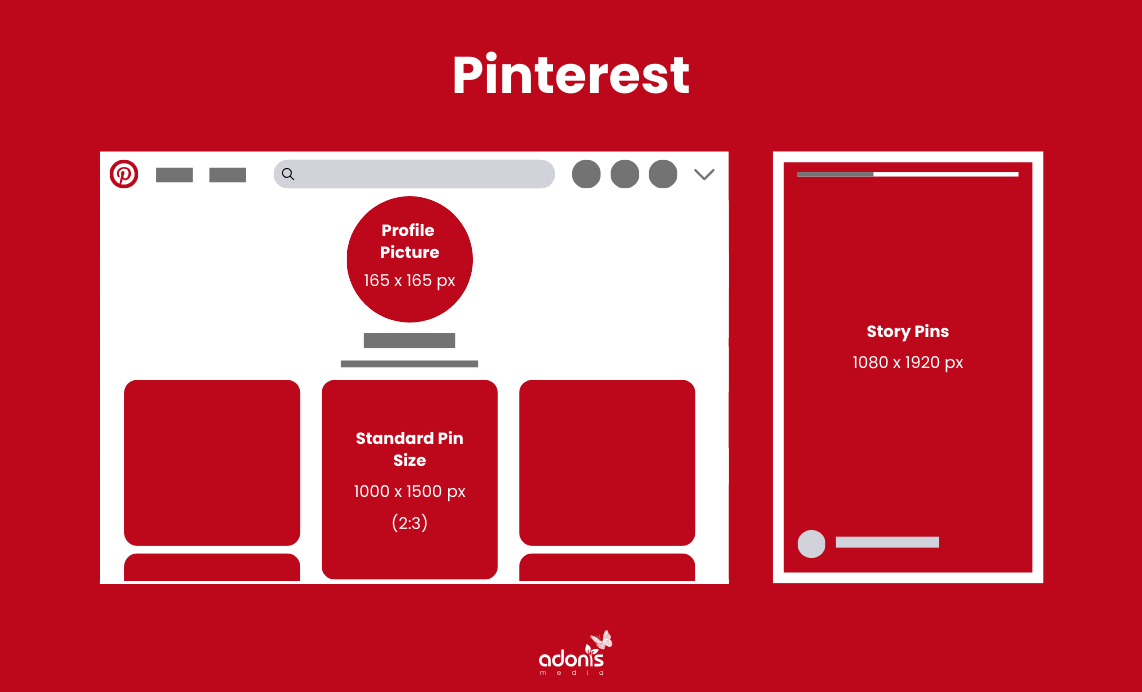
- Pinterest: Profile (165x165px), Standard Pin (1000x1500px), Story Pins (1080x1920px)
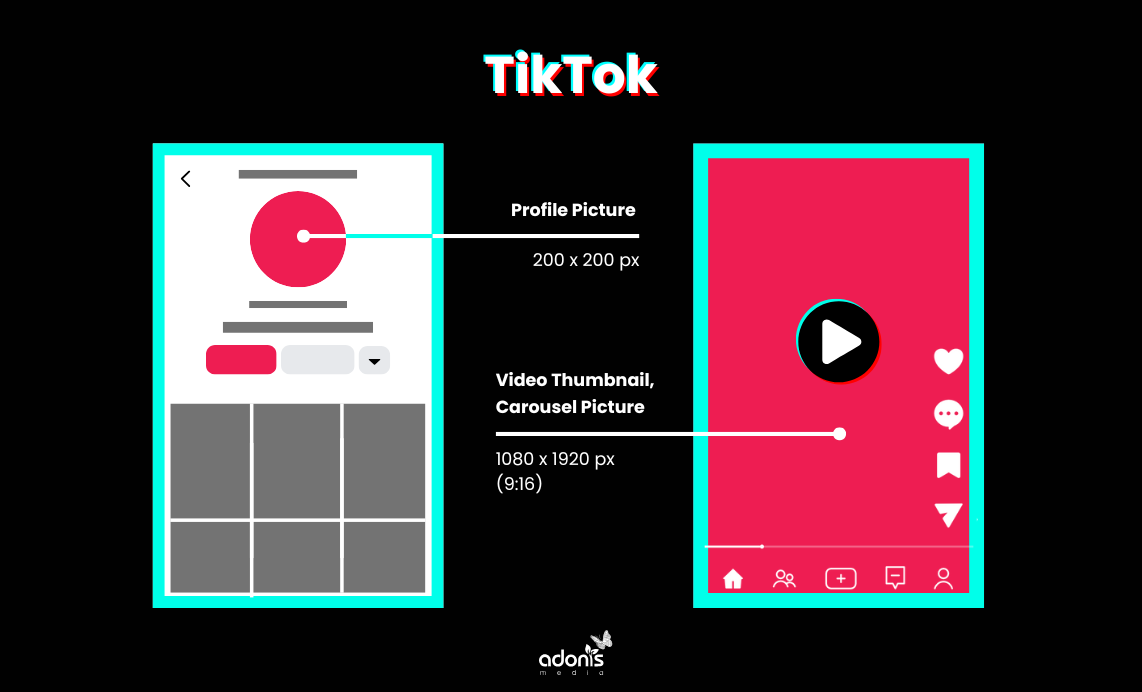
- TikTok: Profile (200x200px), Video (1080x1920px)
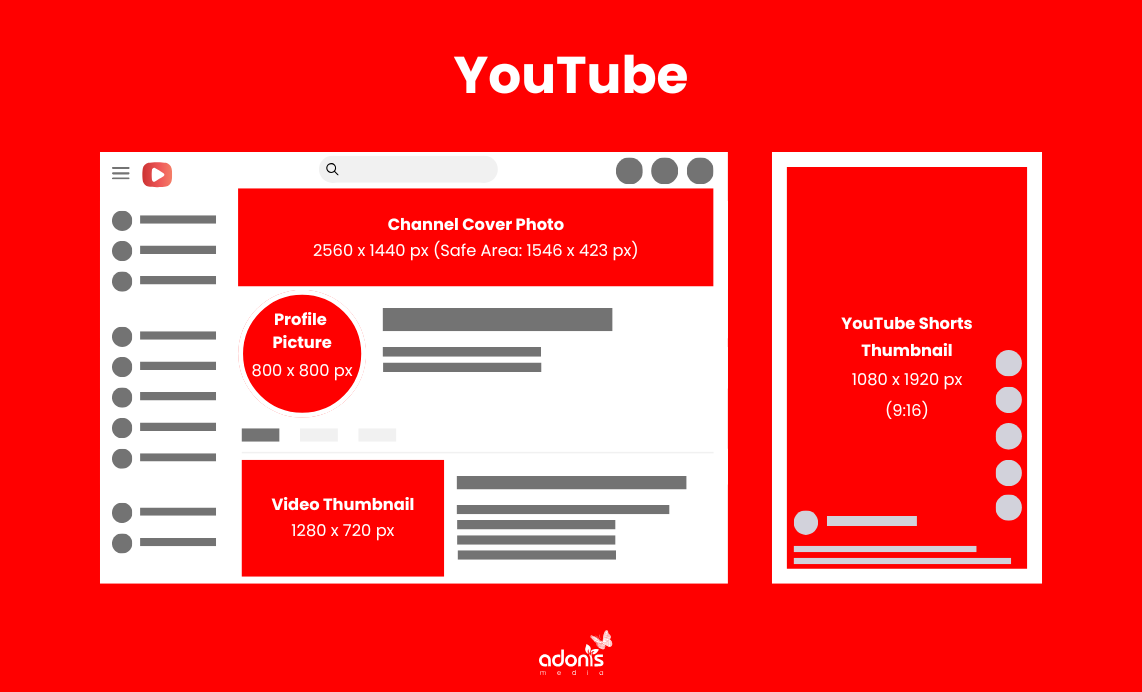
- YouTube: Profile (800x800px), Channel Cover Photo (2560x1440px), Thumbnail (1280x720px)
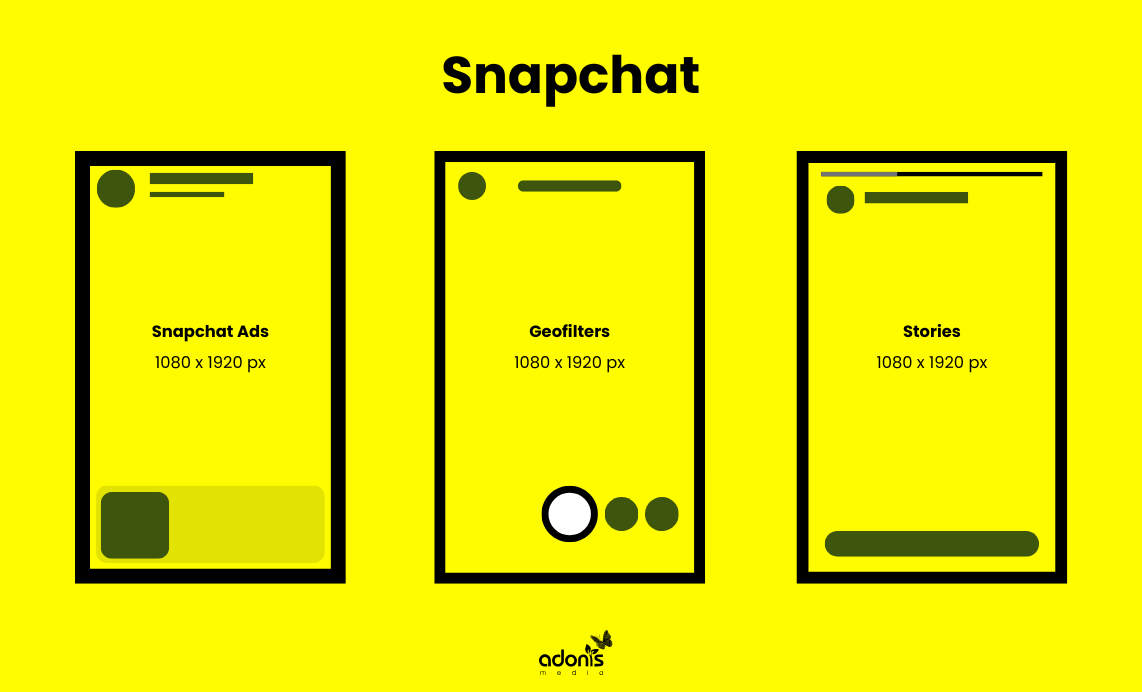
- Snapchat: Geofilters and Snap Ads (1080x1920px)
- Use tools like Canva, Adobe Express, or Sprout Social for easy resizing and optimisation.
Why Optimising Social Media Images Is Essential
Before diving into the specs, let's understand why image optimisation matters:
- Increased Engagement: High-quality, correctly sized images grab attention and encourage interaction.
- Professional Branding: Properly formatted visuals maintain a consistent, polished brand identity.
- Better Performance: Complying with platform-specific requirements ensures your posts won't appear pixelated, stretched, or cropped.
Ready to take your social media visuals to the next level? Let's dive in!
Facebook Image Sizes for 2025
With over 3.07 billion mothly active users, Facebook is one of the most versatile platforms for personal and professional content. Use these dimensions for optimal results:
Key Facebook Image Sizes
- Profile Picture: 170 x 170 pixels (displays as a circle)
- Cover Photo:
- Desktop: 820 x 312 pixels
- Mobile: 640 x 360 pixels
- Shared Post Image: 1200 x 630 pixels
- Event Cover Photo: 1200 x 628 pixels
- Stories: 1080 x 1920 pixels
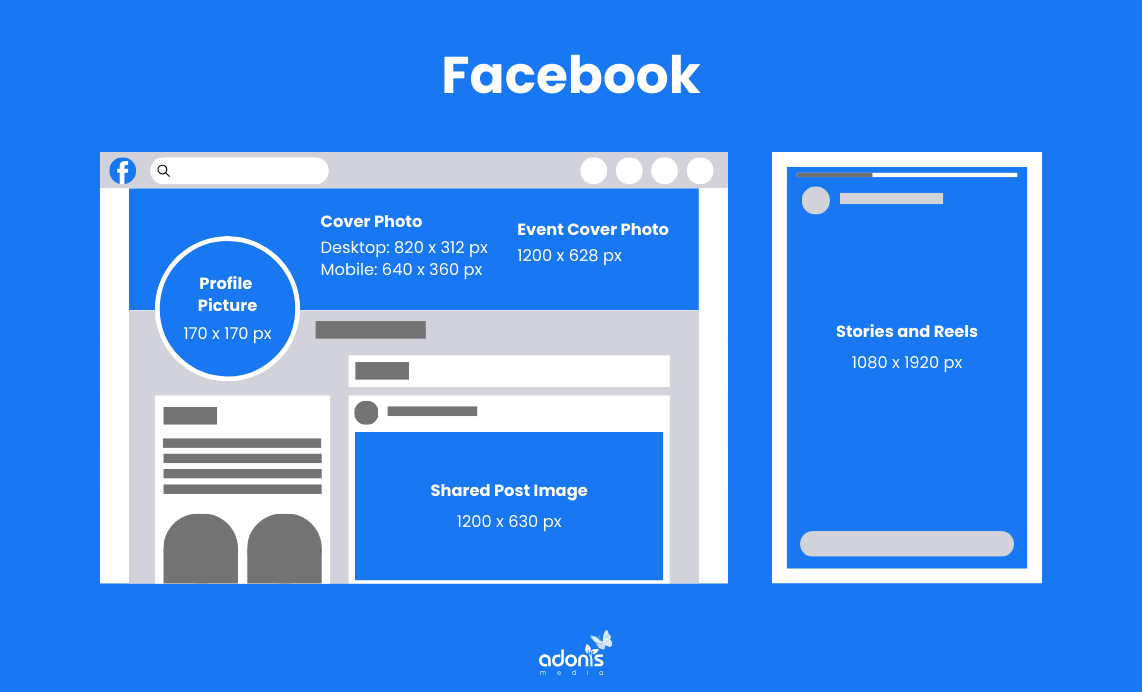
Pro Tip: Keep critical text and elements within the safe zones to avoid cropping on different devices.
Instagram Image Sizes for 2025
Instagram thrives on stunning visuals. From posts to Stories, ensuring the right size is key to creating engaging content that stands out in the feed.
Key Instagram Image Sizes
- Profile Picture: 320 x 320 pixels
- Square Post: 1080 x 1080 pixels (1:1 ratio)
- Portrait Post: 1080 x 1350 pixels (4:5 ratio)
- Landscape Post: 1080 x 566 pixels (1.91:1 ratio)
- Stories and Reels: 1080 x 1920 pixels
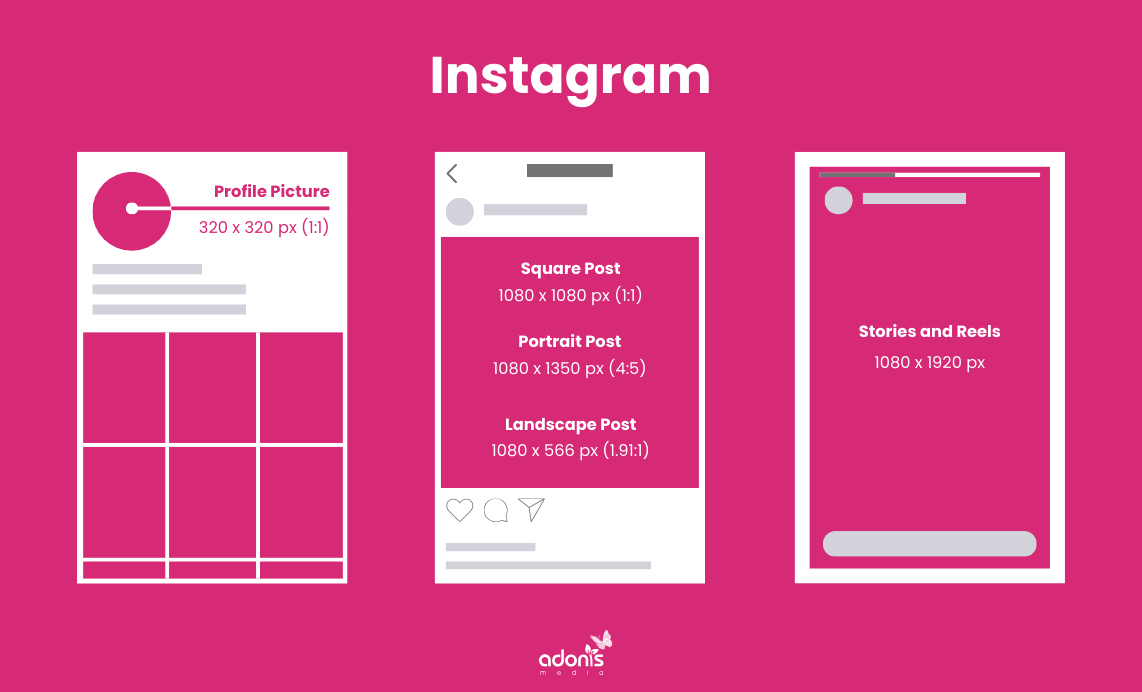
Pro Tip: Use carousel posts with a consistent aspect ratio to create seamless, swipeable content.
X Image Sizes for 2025
X is a fast-paced platform where visuals can make your tweets stand out. Follow these image sizes to ensure your media looks crisp and professional.
Key X Image Sizes
- Profile Picture: 400 x 400 pixels
- Header Photo: 1500 x 500 pixels
- Single Image Tweet: 1600 x 900 pixels
- Multi-Image Tweet:
- Two images: 700 x 800 pixels each
- Four images: 1200 x 600 pixels each
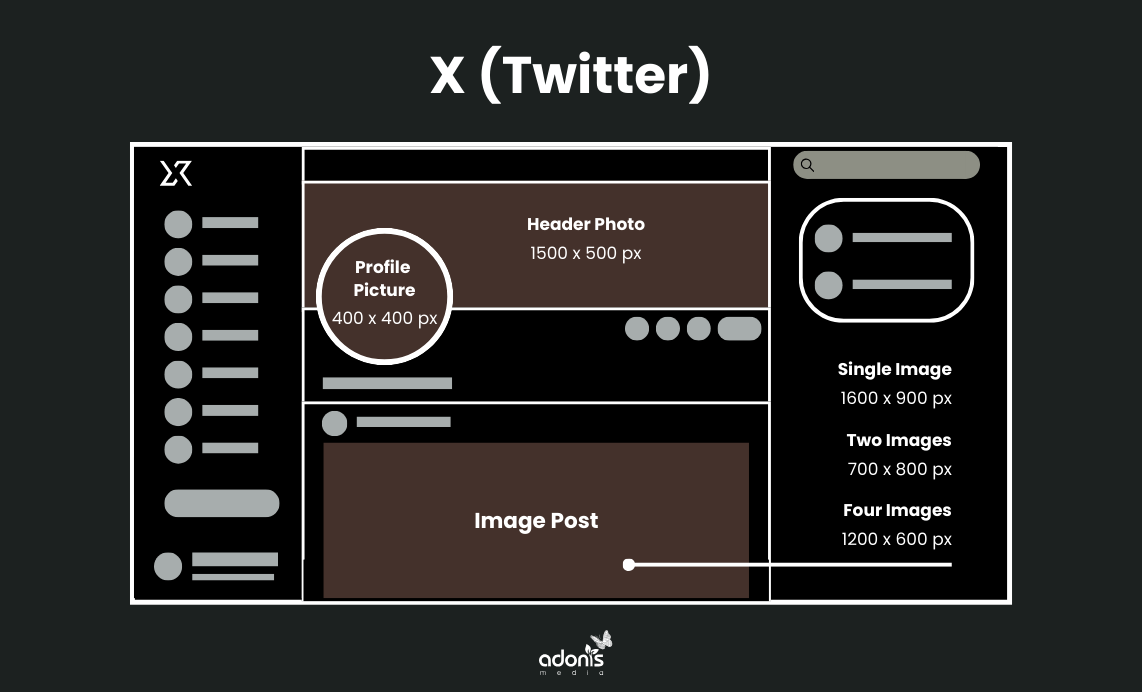
Pro Tip: Include bold colours and text overlays to grab attention in the busy X feed.
LinkedIn Image Sizes for 2025
LinkedIn is where professionalism meets branding. Well-designed, properly sized images are essential for making a lasting impression.
Key LinkedIn Image Sizes
- Profile Picture: 400 x 400 pixels
- Personal Background Photo: 1584 x 396 pixels
- Company Logo: 300 x 300 pixels
- Company Background Image: 1128 x 191 pixels
- Shared Image/Post: 1200 x 627 pixels
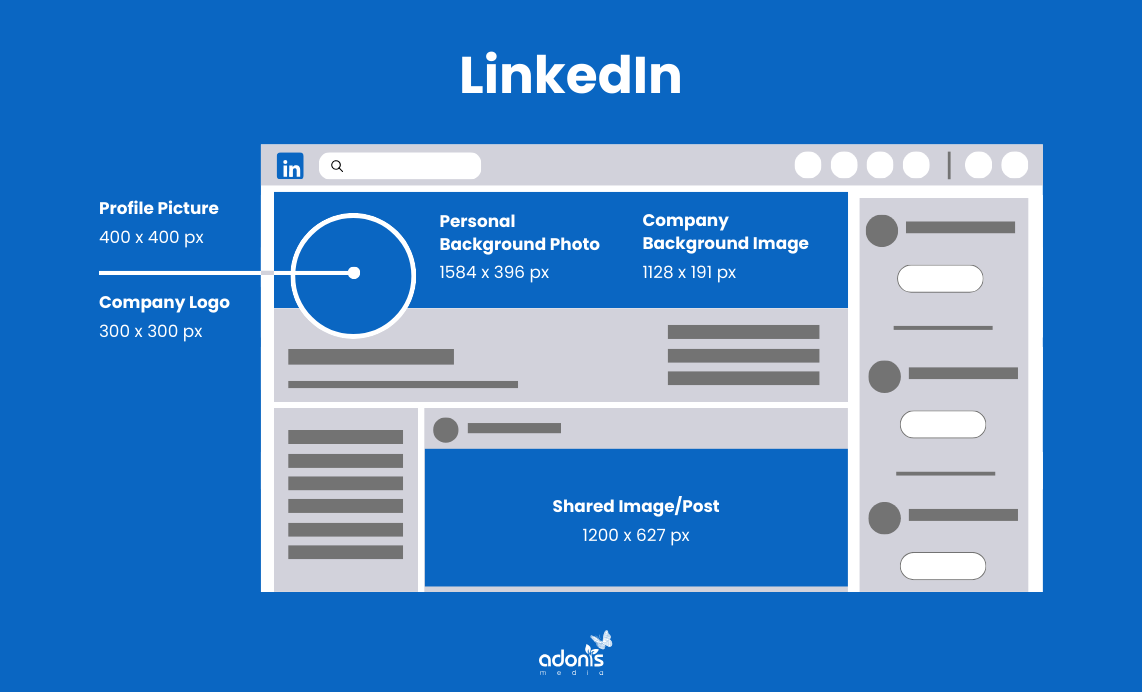
Pro Tip: Ensure your company logo is clear and recognisable, even at smaller sizes.
Pinterest Image Sizes for 2025
Pinterest is a visual search engine; the right image size can make your pins go viral. Focus on vertical images for better performance.
Key Pinterest Image Sizes
- Profile Picture: 165 x 165 pixels
- Standard Pin Size: 1000 x 1500 pixels (2:3 ratio)
- Story Pins: 1080 x 1920 pixels
Pro Tip: Use bold text overlays and bright colours to make your pins stand out in search results.
TikTok Image Sizes for 2025
TikTok's vertical format puts visuals front and centre. Whether it's your profile picture or video thumbnails, these sizes are non-negotiable.
Key TikTok Image Sizes
- Profile Picture: 200 x 200 pixels
- Video Size: 1080 x 1920 pixels (9:16 ratio)
Pro Tip: Keep thumbnails clean and eye-catching to boost views and engagement.
YouTube Image Sizes for 2025
YouTube's visuals extend beyond videos. Thumbnails and banners can significantly impact your channel's appeal.
Key YouTube Image Sizes
- Profile Picture: 800 x 800 pixels
- Channel Cover Photo: 2560 x 1440 pixels
- Safe Area: 1546 x 423 pixels (visible across all devices)
- Video Thumbnail: 1280 x 720 pixels
- YT Shorts Thumbnail: 1080 x 1920 pixels
Pro Tip: Custom thumbnails with bold text and high-contrast visuals can increase video click-through rates.
Snapchat Image Sizes for 2025
Snapchat's vertical, immersive layout demands perfectly formatted visuals.
Key Snapchat Image Sizes
- Snapchat Ads: 1080 x 1920 pixels
- Geofilters: 1080 x 1920 pixels
- Snap Ads: 1080 x 1920 pixels
Pro Tip: Keep important design elements within the centre of your visuals to avoid cropping.
Other Platforms (Bonus)
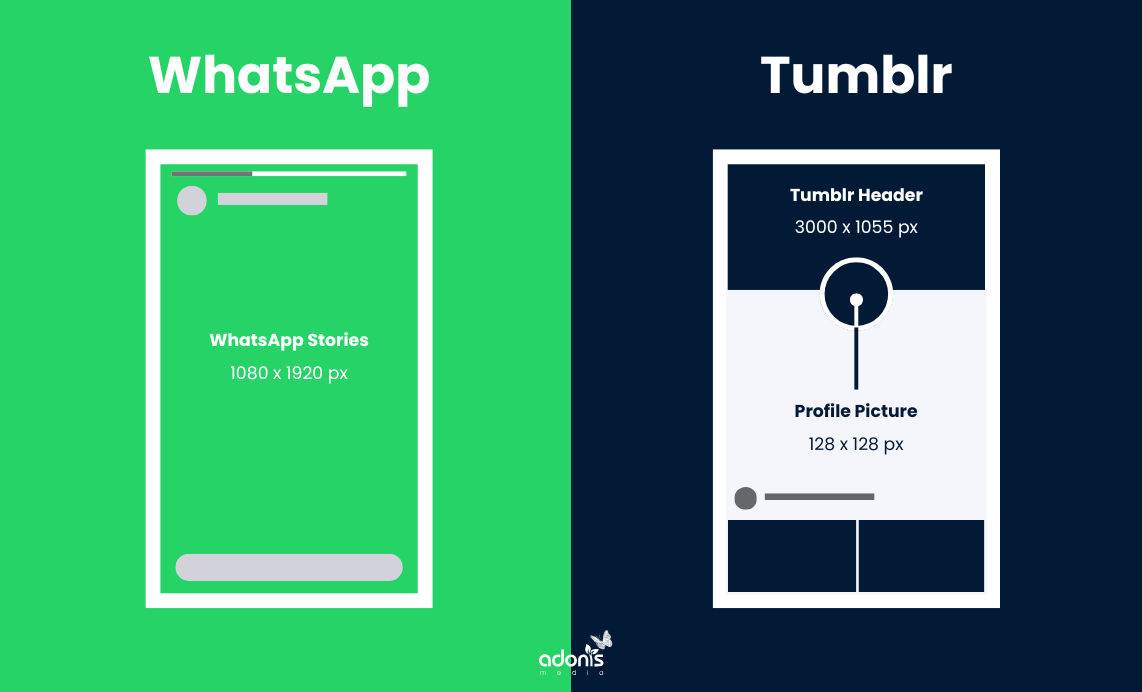
- WhatsApp Stories: 1080 x 1920 pixel
- Tumblr Profile Picture: 128 x 128 pixels
- Tumblr Header: 3000 x 1055 pixels
Pro Tip: If you manage content across smaller platforms, resizing tools like Canva or Adobe Express can simplify the process.
Top Tools for Resizing Social Media Images
Optimising visuals doesn't have to be hard. Use these tools to save time:
- Canva: Pre-sized templates for every social media platform.
- Adobe Express: Professional resizing options.
- Sprout Social: Offers resizing and analytics for social posts.
Mastering Visuals for Maximum Engagement
Optimising your social media images ensures your content is visually appealing, professional, and perfectly aligned with platform-specific requirements.
By following this guide, you can create images that not only fit but also elevate your brand's presence on every social media platform.
Save this 2025 Social Media Image Sizes Guide to stay ahead of the game, and watch your engagement rates soar!
Are you struggling to optimise your social media visuals for maximum impact? Book a free consultation today to even cover its marketing impacts on your business.
Got a question in mind? Check out the FAQs below for quick answers!
