

Ever thought about starting a podcast but worried it's too hard or only for experts? You're not alone. Lots of people get stuck on the idea stage or quit before they ever hit record.
Too many podcasters overthink tech, fear they'll run out of things to say, or even struggle with low listener numbers at the start.
But it doesn't have to be that way. In this guide, you'll learn easy, honest steps to launch, grow, and even monetise your podcast, plus tips to avoid common mistakes so your show has the best chance at success.
Key Takeaways
- A podcast is an on-demand audio show you can listen to anywhere, sharing ideas and building community along the way.
- Key benefits include sharing expertise, building brand trust, connecting with audiences, and opening up future monetisation with loyal listeners.
- Podcasts differ from radio by their flexibility, global reach, and easy access, but both engage audiences using stories and conversations.
- Steps 1-5: Plan your concept, format, and branding; prepare equipment; choose simple recording and editing software.
- Steps 6-10: Record and edit episodes carefully; create intro, background, and outro music; publish online, then promote across social media and networking.
- Monetisation options include ads, sponsorships, selling products, listener memberships, or exclusive premium content for true fans.
- Some common mistakes new podcasters make are overcomplicating gear, posting inconsistently, having poor sound, using long tangents, and giving up before building their audience.
What Is a Podcast?
Podcasts have become a common word everyone hears nowadays. But what exactly is a podcast? Simply put, a podcast is like a radio show you can listen to anytime you want — on your phone, computer, or tablet. It's a series of spoken-word episodes you can subscribe to and download, so you never miss one.
Now, many people think of podcasts as just casual chats or storytelling. While some podcasts may be like that, the reality is that podcasts cover every topic you can imagine — from science and history to marketing and business advice.
One of the common misconceptions is that podcasts are only for big companies or professional broadcasters. That's not true at all. Anyone can start a podcast with a simple microphone and an idea. It doesn't take fancy equipment or a huge budget, which is one reason why podcasts have grown so fast.
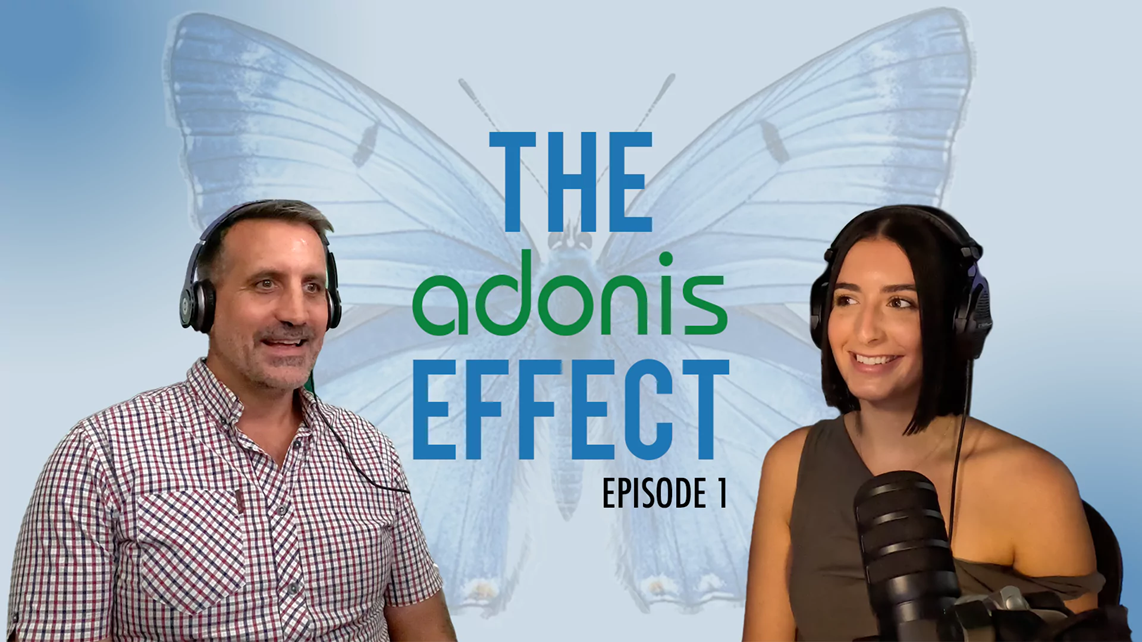 The first episode of The Adonis Effect, Adonis Media's podcast, where it all starts.
Podcasts have also found a valuable place not only in the various industries and in the B2C world, but also in B2B. Many businesses now use podcasts to share expert knowledge, connect with other professionals, or build trust with potential clients. It's a powerful tool for building relationships and showcasing expertise, no matter which audience you serve.
So, podcasts are more than just audio files. They are a way to build community, share ideas, educate, and even grow a business in practical ways. Whether you are a consumer or a business, podcasts are shaping how we listen and learn today.
Benefits of Starting a Podcast
Starting a podcast can be a smart move for businesses and individuals alike. Podcasts give you a direct line to your audience, letting you share ideas in your own voice. Let's dive into some big benefits of podcasting that make it worth trying.
Share Your Ideas with Others
Podcasts are an excellent way to share your thoughts, stories, or expertise with people who want to listen. Unlike other forms of content, podcasts feel personal because it's your voice speaking directly to the listener. You can cover topics in-depth and explore ideas over multiple episodes.
Podcasting also fits naturally into people's busy lives. Many listeners tune in while commuting, exercising, or doing chores. Your ideas get heard when people are relaxed and focused, increasing the chances they remember your message.
Connect and Build Trust with Listeners
Podcasts help create trust by giving a real voice to your brand or message. When people hear your tone, passion, and consistency, it feels authentic. Hosting interviews or sharing real stories also shows openness, which builds credibility with your audience.
Trust built through podcasts can lead to repeat listeners who become customers or advocates — a reason why many brands now invest in podcasts as part of their marketing strategy.
Help People Get to Know Your Brand
Podcasts are a great way to show your brand's personality. Unlike ads or social media posts, podcasts let you tell your story in detail and with emotion. Over time, listeners get to know the person or team behind the brand, which makes your business more relatable and memorable.
Research also says that 54% of podcast listeners say podcasts have helped them learn about a brand or product they later purchased. That's why building podcast content that your audience loves builds loyalty and keeps your brand top of mind for when they are ready to buy.
Make Money from Your Podcast Later
Another perk of starting a podcast is the potential to earn money. While it usually takes time to grow an audience, many podcasters turn their shows into profitable ventures. Income comes from sponsorships, advertising, and brand partnerships.
Other ways to earn include selling your own products or services, offering memberships, or sharing exclusive content behind paywalls.
Podcast vs Radio: What's the Difference?
When people hear the word 'podcast', many still think of radio. They are close cousins, but not twins. Both involve audio and voices. Both can tell stories, teach, or entertain. But the way people listen, how shows are made, and how long content stays available are very different.
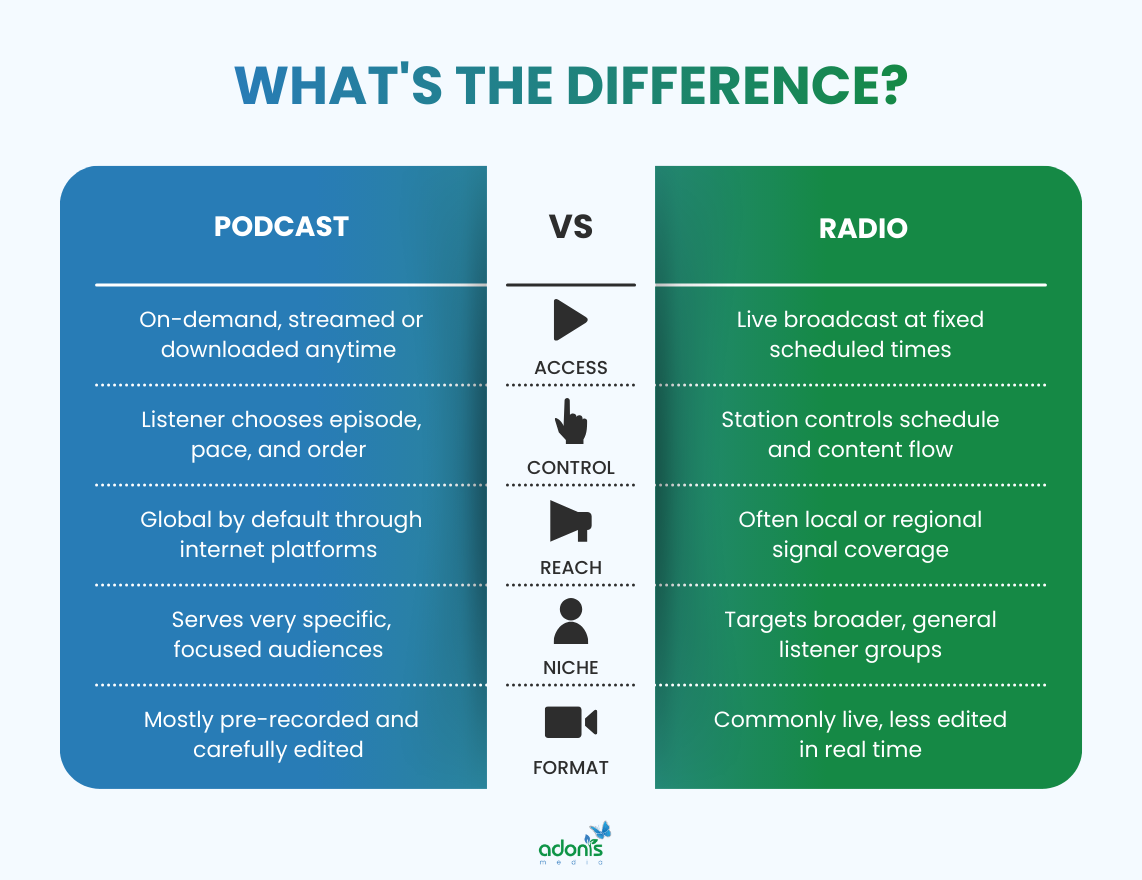
How They Differ
Podcasts and radio differ most in control and timing. With podcasts, the listener is in charge. They choose what to hear, when to hear it, and can pause, replay, or binge a whole series. Radio is usually live or scheduled. You have to tune in at the right time or you miss it.
Here are the key differences:
- Podcasts are on-demand. You download or stream episodes whenever you like. Radio is usually broadcast live on a set schedule.
- Podcasts live online as episodes in a library. Old episodes stay available for months or years. Radio shows often disappear after they air.
- Anyone with simple gear can start a podcast and publish globally. Traditional radio usually needs licences, studio space, and broadcast rights.
- Podcasts often serve niche topics and very specific audiences. Radio tends to aim at broader groups in a local area or region.
- Many podcasts have flexible lengths, from 5 minutes to over an hour. Radio shows usually follow strict time slots to fit the station's schedule.
How They Are Similar
Even with these differences, podcasts and radio still share a lot. Both use sound to build a connection with the listener. A strong voice, good storytelling, and clear audio matter in both. Many skills that work in radio, such as interviewing and scripting, transfer well into podcasting.
Here is how they overlap:
- Both use audio to tell stories, share news, or teach something useful.
- Both can have hosts, guests, interviews, music, and sound effects.
- Both can build loyal audiences who tune in regularly and feel close to the host.
- Both can be used by brands in B2C and B2B to share expertise, build trust, and stay top of mind.
- Both can make money through ads, sponsorships, or promoting products and services.
Steps on How to Start a B2B Podcast
Starting a podcast is much easier when you break it into simple steps. Here's a friendly, straightforward guide to help you begin your podcasting journey.
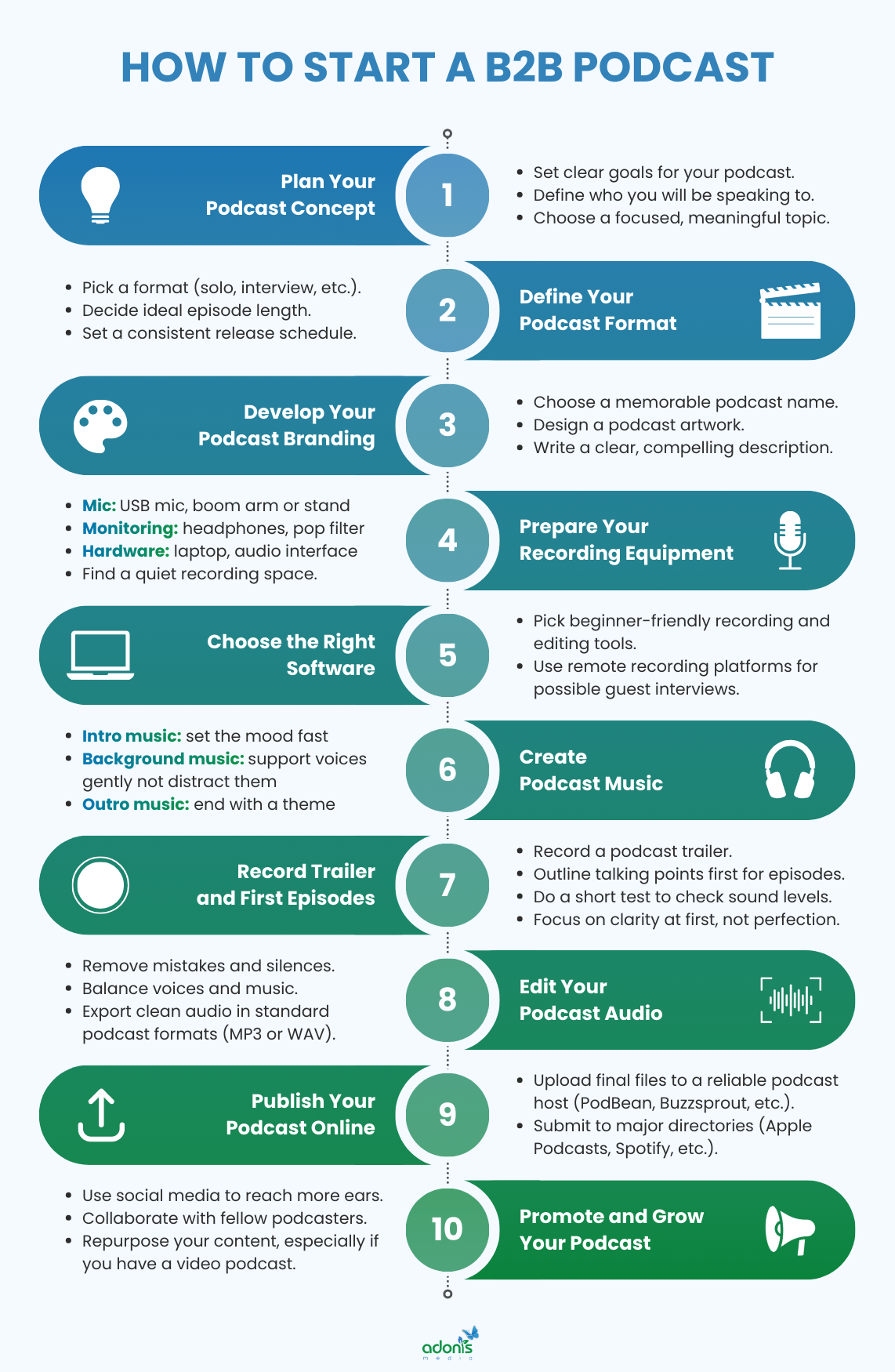
1. Plan Your Podcast Concept
To get your podcast off to a strong start, you should nail down three main things: your goals, audience, and subject matter. Before worrying about equipment or editing, take time to shape what your show is really about.
Define Your Goals
Start by asking yourself: Why do I want to podcast?
Be clear on your main purpose. You might have more than one goal, but knowing your top reason will make decisions easier as you go along.
Some common goals include:
- Supporting your business (B2B or B2C): Share industry tips, attract leads, build trust with buyers.
- Creating a brand-new venture: Teach, entertain, or build a community even without selling anything.
- Connecting or networking: Meet other experts or influencers by running interviews and roundtables.
- Monetising your content: Build up an audience, then explore sponsorships or selling your own services.
- Doing it for fun or creativity: Share stories, hobbies, or experiences just because you want to.
Identify Your Target Audience
Next, ask yourself again: Who will I podcast for?
Think about who you're talking to. A podcast for everyone is really a podcast for no one, so you need to narrow down your listeners by both demographics and psychographics.
To find and serve the right listeners:
- Picture your ideal listener.
- What's their age group?
- What problems do they need to solve?
- Where do they live and work?
- What other podcasts do they listen to?
- Use this info to guide your topics, episode style, and tone.
- Sometimes, ask friends or colleagues who fit your ideal audience for feedback — they can point out if your ideas hit the mark.
Keep your audience in mind any time you plan or record. When you know who you're speaking to and why, your podcast naturally becomes more focused, engaging, and valuable.
Select a Podcast Topic or Focus Area
Lastly, ask yourself: What unique value can I share?
This is the most important part, not only because your podcast will need fresh episodes over time, but also because you should always dive into a subject or subtopics that either keep you interested and motivated, or you are very knowledgeable about.
To add, since you already know your target audience, take them into consideration. You may be knowledgeable about a topic you want to discuss for the long term, but if it doesn't resonate with them, you may not see progress for the following episodes you'll upload.
You may test the topic by brainstorming 10 episode ideas. If ideas come quickly and they match the answers when you identify your audience, you're on the right track. If it feels tough, you can always shift focus or dig deeper for inspiration.
2. Define Your Podcast Format
Choosing your podcast format is all about matching your style with what your audience wants. The format shapes the way your show feels, how you connect with listeners, and what you need to prepare for each episode.
Podcast Style
Your podcast can take many forms. The format you choose influences how each episode plays out.
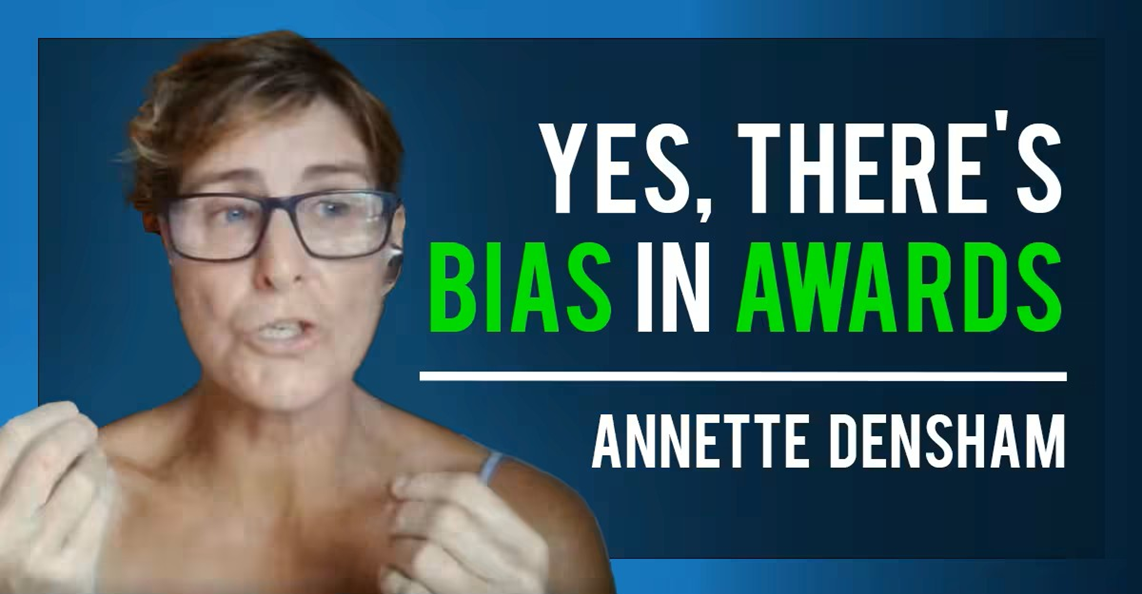 The Adonis Effect Episode 28, with Annette Densham as a special guest.
Popular podcast formats are:
- Solo: Great for teaching or giving personal insights. You run the show, decide the pace, and can record whenever you want.
- Interview: This style works well for sharing expert knowledge, exploring different perspectives, or networking. Listeners hear fresh voices each time, and guests often help promote your show too.
- Co-hosted/Conversational: Two or more people chat about topics. These podcasts feel relaxed and friendly. Co-hosts help keep things lively if your topic needs more back-and-forth.
- Panel: A bigger group discusses ideas or debates. Panel podcasts suit bigger brands, industry updates, or niche communities, but can get messy without strong moderation.
- Storytelling/Narrative: You craft a story, either real or fictional. This format is script-heavy and needs good planning. Listeners dive into stories with music, sound effects, and dramatic twists.
There's no wrong choice. It's normal to blend formats, such as starting solo, then adding interviews or stories as you go.
Episode Length and Posting Frequency
Think about how long each episode should run. You should base the episode lengths on your podcast topic and the style you choose. For example, a narrative style can be long, but the depth of the topic should be considered.
You may choose to have:
- Short episodes (10-20 minutes): Good for quick advice, snackable tips, and busy listeners.
- Medium episodes (20-40 minutes): Allows for deeper dives without losing focus.
- Long episodes (40+ minutes): Ideal for big interviews, storytelling, or complex topics, especially when having guests to give insights.
For the posting frequency, it also depends on your style, topic, and your availability as well.
You can choose either:
- Weekly: Most popular, easy to plan.
- Bi-weekly: Good for busy hosts or deep-dive topics.
- Monthly: Works for long-form content or special series.
- Seasonal: Release episodes in batches, take breaks, then return with a new series.
3. Develop Your Podcast Branding
Strong branding makes your podcast stand out in a crowded field and helps listeners know what to expect before they even press play. Branding isn't just about how your show looks, but how it feels, sounds, and speaks to people.
Think of a Memorable Podcast Name
Your podcast name is the first thing people see. It sets the tone for your show and can be a real magnet for the right listeners.
A great name should be:
- Clear and descriptive: People should get an idea about the show's topic right away. For example, 'Marketing Made Simple' is easy to understand and attracts those who want marketing tips.
- Short and memorable: Aim for two to four words if you can, so it's simple to recall and fits well on social media and podcast platforms.
- Unique and searchable: Avoid names already in use by other podcasts or brands.
- Reflect your style: Is your show serious, funny, or friendly? Your name should match your tone, so people know what to expect.
- Use keywords wisely: Mix in one or two keywords relevant to your topic and/or your target audience's daily language or related to your brand name, so new listeners can find you more easily.
Once you have a few ideas, check that a matching domain and social media handles are available. It's best to secure these right away, even if you don't use them at first.
Design a Podcast Artwork
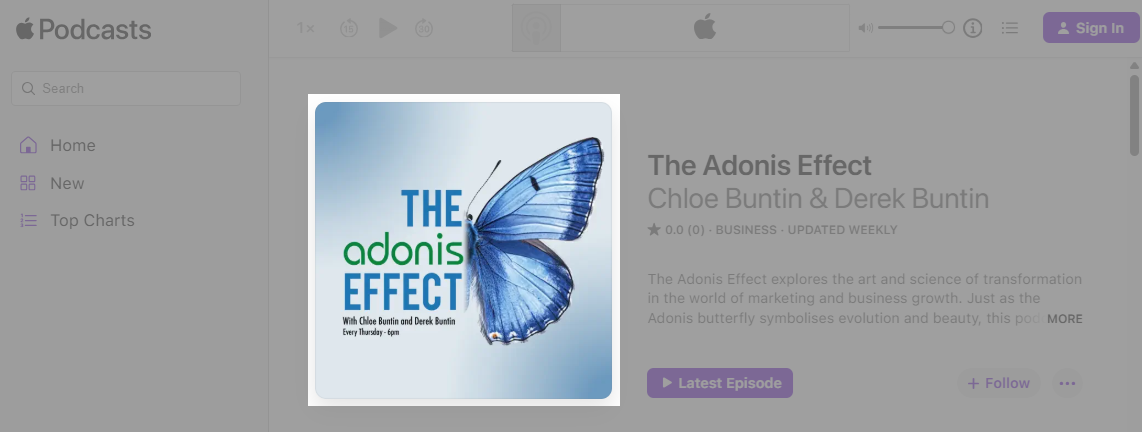 The Adonis Effect official podcast artwork on all popular listening platforms.
Your artwork is usually the first thing people see often on a tiny phone screen. Good cover art makes listeners stop scrolling and click.
To give your podcast the best chance at success, follow these essential tips:
- It should be easy to spot, even as a small thumbnail.
- Use colours and styles that reflect your show's personality and topic.
- It should align with your podcast name, your main business branding style (if any), and your podcast description to look like they all belong together.
- Try not to use overused icons like microphones unless they truly fit your show's theme.
- Avoid copyrighted images — stick to original or stock art with clear usage rights.
For platform guidelines:
- Apple Podcasts recommends artwork at 3,000 x 3,000 px, square, in JPEG or PNG format, 72 dpi, using the RGB colour space.
- Spotify, YouTube, and other platforms also prefer square images between 1,400 x 1,400 and 3,000 x 3,000 px.
You can use design tools like Canva or Adobe Express to create your artwork and other podcast-related materials, or hire a graphic designer for something unique.
Write a Clear, Compelling Description
Your show's description should clearly explain what listeners can expect. Describe the main topics you cover and who will benefit most from tuning in, whether it's industry pros, entrepreneurs, or curious beginners.
Take a look at our podcast description on Spotify, which we also use on various other podcast platforms:
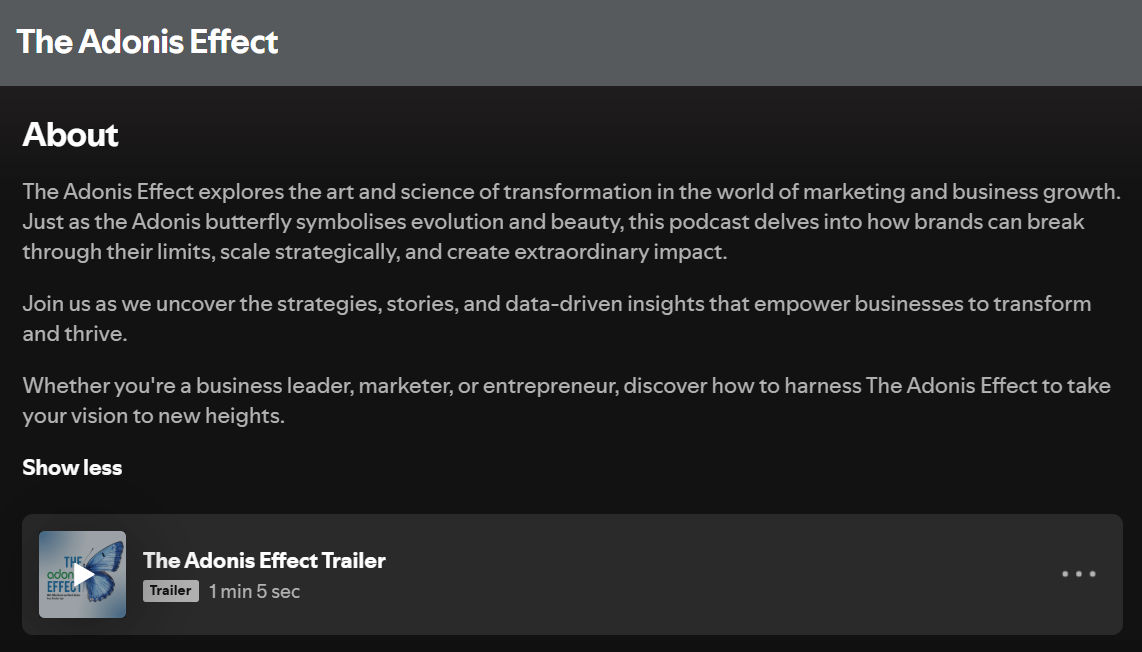
Let your unique voice and mission come through so people get a sense of your personality and the show's vibe.
Add relevant keywords naturally so podcast platforms can connect you with new listeners searching for those topics.
4. Prepare Your Recording Equipment
Here is your starter podcast equipment checklist. Use this as a guide — beginner-friendly recommendations included for each item.
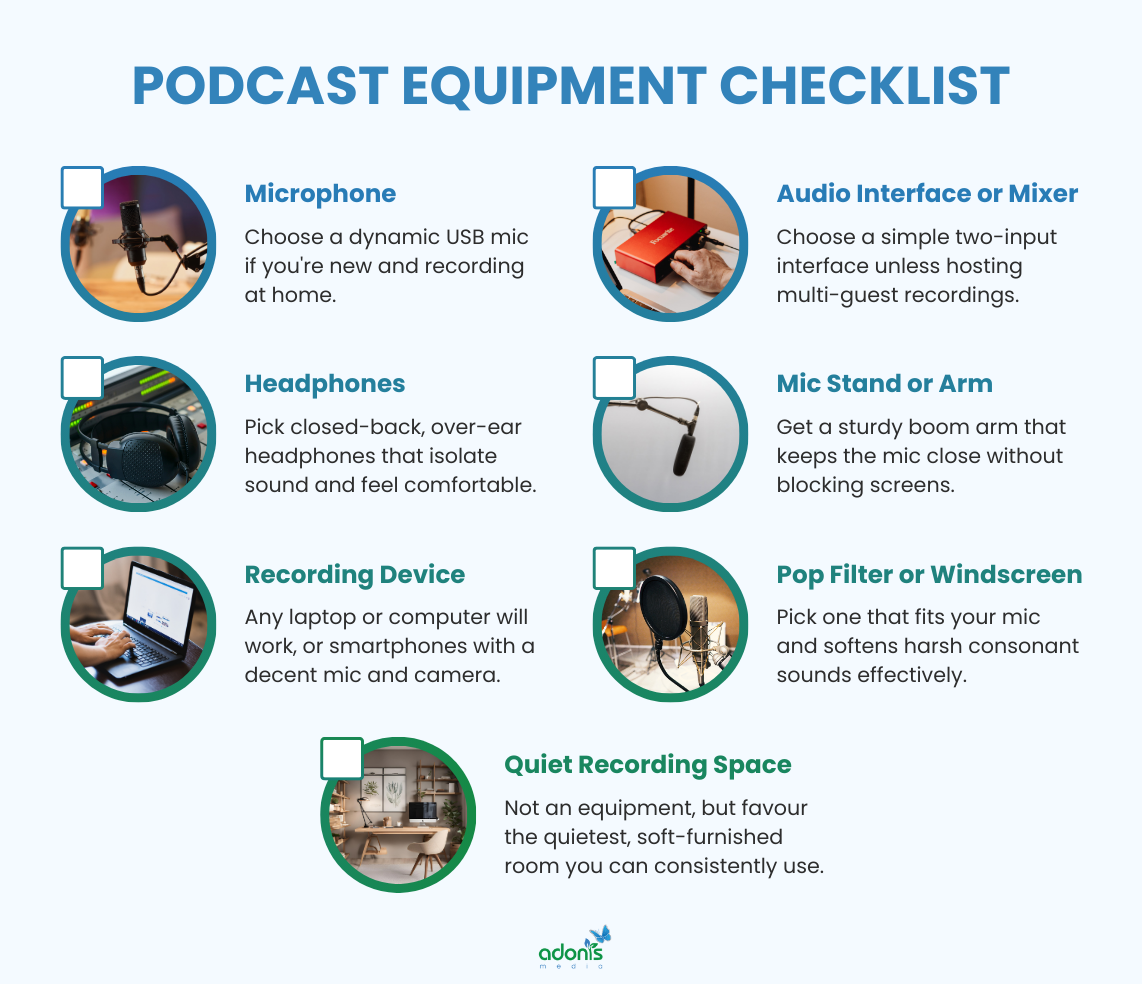
- Microphone
- Start with a USB microphone for simple, good-quality sound.
- Each host and guest should use their own microphone if possible for the best clarity.
- Try the Samson Q2U (USB/XLR) or Audio-Technica ATR2100x for beginners.
- For more advanced setups, a Shure MV7 or Rode PodMic (XLR) works well.
- Headphones
- Headphones help you monitor sound and catch mistakes while you record.
- Always wear headphones during recording and editing; ask guests to do the same on remote calls.
- Go for closed-back headphones like the Audio-Technica ATH-M20X or Sony MDR-7506 — clear, comfortable, and ideal for new podcasters.
- Computer or Recording Device
- Any good laptop or computer will work, but some podcasters simply use smartphones with a decent mic and camera (if doing video podcasts) for simple sessions.
- Make sure your device has enough memory and USB ports for your other gear.
- Audio Interface or Mixer
- Needed if you use XLR microphones.
- Try the Focusrite Scarlett 2i2 for simple USB/XLR setups.
- Bigger groups can use the Rodecaster Pro or Zoom PodTrak P4 for more control and multiple mic inputs.
- Microphone Stand or Arm
- A stand or boom arm keeps your mic stable and close to your mouth. It helps avoid awkward hand movements and uneven audio levels.
- Most beginner mics come with a basic desk stand. Upgrade to a boom arm later if you want more flexibility.
- Pop Filter or Windscreen
- These block loud breathing and 'popping' sounds from your voice. These make editing easier and sound more professional.
- Quiet Recording Space
- Use a room with soft décor (curtains, carpets, couch) to reduce echo.
- You can also hang up blankets or try foam panels for better sound.
Take a quick test before your first episode. Plug in, do a short trial recording, and listen back with headphones. Tweak your setup until speech sounds clear, natural, and free from background noise or echo.
5. Choose the Right Software
When choosing software, opt for easy-to-use options for recording and editing your audio. Look for tools that make the process simple and suit your skills, so you can focus on your story and keep your podcast running smoothly without stressing over tech.
Recording Software
Recording software captures your voice and any guests, making sure your raw audio is clear and easy to work with.
For professional podcast production, use software that delivers clear, high-quality recordings for every speaker, allows you to record each guest on a separate track for easier editing and audio control, and supports simple file exports in common formats like WAV or MP3.
Here's what you should know:
- For solo or in-person recording:
- Audacity (free, open source) is simple and works on most computers. Many beginners use it to record and edit in one place.
- GarageBand (free for Mac users) is beginner-friendly and also supports easy music creation.
- For remote interviews:
- Zoom and Microsoft Teams (both free) let you record calls, but the audio quality may be lower.
- Riverside, Alitu, SquadCast, and Zencastr, are purpose-built for podcasters. These can record each person's audio locally and upload high-quality tracks so everyone sounds crisp, even if the internet glitches.
Editing Software
Once you have your recording, editing helps shape episodes, cut out mistakes, and polish the sound.
Popular editing tools:
- Audacity: Free and straightforward. Good for simple edits, cutting unwanted sections, and adding effects like volume balancing or noise reduction.
- GarageBand: For Mac users, makes editing easy and includes basic sound effects and music tracks.
- Descript: Lets you edit audio by editing the transcribed text like fixing a document. It's powerful for new podcasters who don't want to learn complex audio tools.
- Adobe Audition: Industry standards with advanced features. These are for podcasters who want total control and are ready to invest time in learning pro-level editing.
A simple setup could look like this: start with recording in Audacity or Riverside, then editing your audio in Audacity, GarageBand, or Descript, and finally exporting your finished episode as an MP3 or WAV file for easy sharing and publishing.
That said, many all-in-one tools (like Alitu or Riverside) let you record, edit, and publish from one platform. These save time and help you avoid technical hassles, so you can focus on your content.
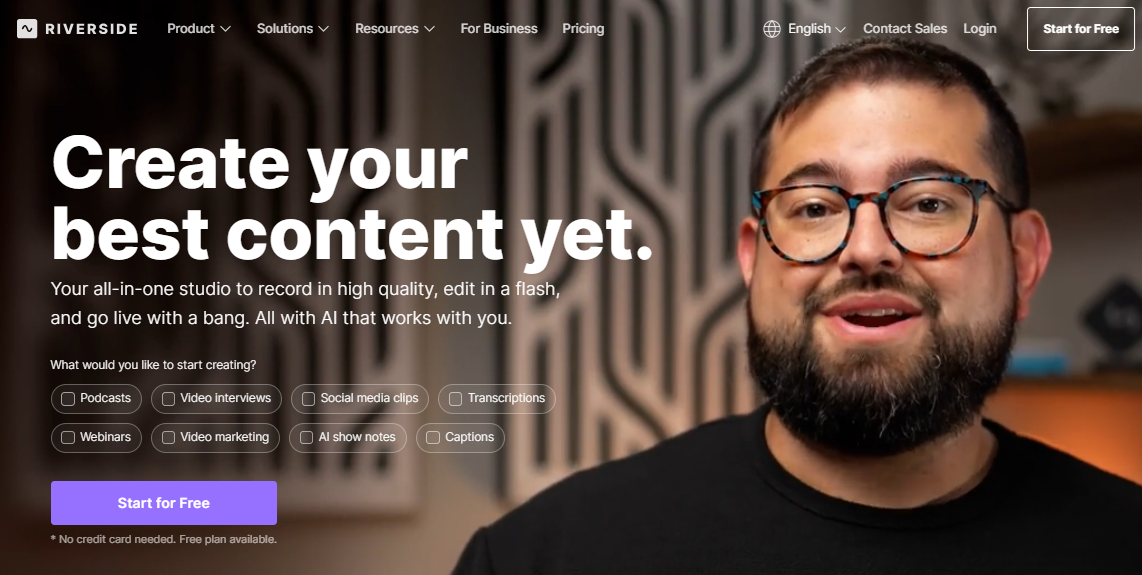 Website screenshot: riverside.com
6. Create Podcast Music
Music helps set the mood for your podcast and makes it feel more polished and professional. You do not need to be a musician to get this right — you just need to choose simple tracks that match your tone and use them in the right places.
If you want something unique, music production services like Music Radio Creative can craft custom tunes for your show.
Intro Music
Start your episodes with a brief intro track that signals your podcast has begun. A strong intro:
- Grabs attention and builds excitement.
- Sets your podcast's style — choose something upbeat for energetic shows or calm for discussion formats.
- Lasts 10-30 seconds so it's catchy but not distracting.
You can find intro music in libraries like AudioJungle and PremiumBeat, or in free options like YouTube's Audio Library. Make sure to choose royalty-free tracks or buy a licence to avoid copyright problems.
Background Music
Background music runs quietly underneath parts of your show, but use it with care. It's best:
- Used in parts where you want extra warmth, like during stories, transitions, or guest introductions.
- Played softly to avoid drowning out voices or making key info hard to hear.
- Matched to the tone — light background for friendly, chatty segments or faint drama for storytelling.
Editing software like Audacity, GarageBand, Descript, and Riverside lets you adjust volume and fade music in or out as needed. Always preview before publishing to check it doesn't distract from the conversation.
Outro Music
Outro music wraps up each episode, signalling it's time to say goodbye. Good outro tracks:
- Reinforce your show's brand just like the intro.
- Create a lasting impression so listeners remember the vibe.
- Give space for a call-to-action, such as visiting your website or subscribing to your show.
Choose outro music that's similar to your intro for consistency. Fade it in as your episode ends, and use it as a backdrop for your closing message.
7. Record Trailer and Firsts Episode
With your plan, structure, and tools ready, it's time to actually record your trailer and first episodes using the recording software you chose and the equipment you have.
Start by outlining your content, then test your setup and settle into a style that feels authentic. Your first few recordings help you find your podcast voice and shape what your show will sound like.
Record a Podcast Trailer
Your trailer is a quick preview that tells listeners what your show is about before they commit to a full episode.
It doesn't need to be long. You can keep it short, around 30–90 seconds, and introduce who you are, what topics you'll cover, and who the podcast is for (which recalls your Step 1).
End with a clear call-to-action, such as when new episodes will launch, where to follow or subscribe, and what listeners can expect next. Give your listeners a reason to hit "follow" right away and help you promote the show on social media and other channels.
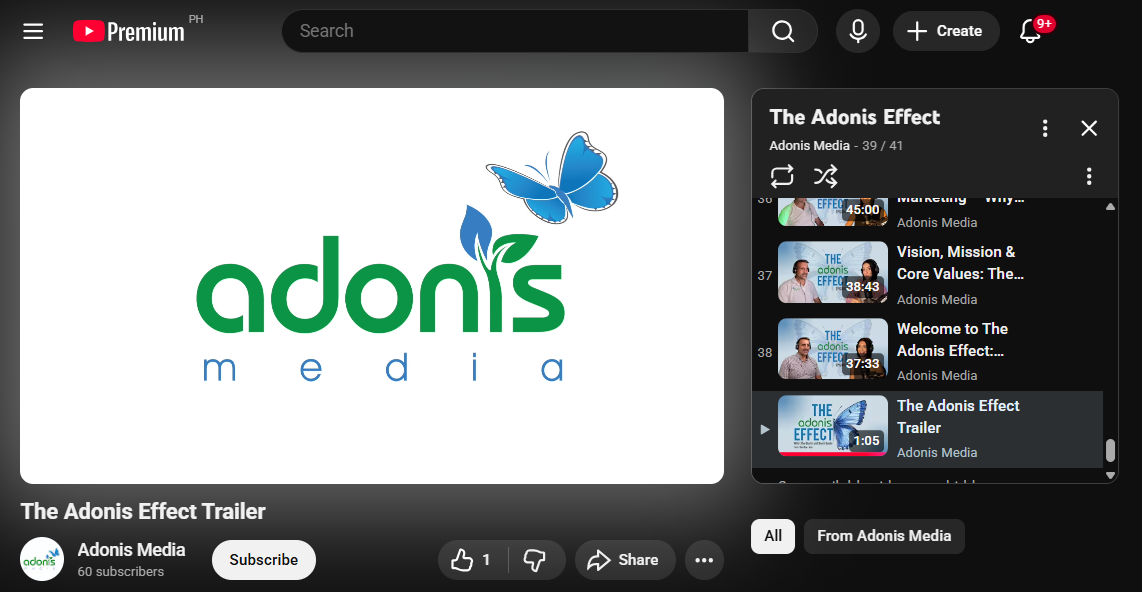 The Adonis Effect official podcast trailer on all popular listening platforms.
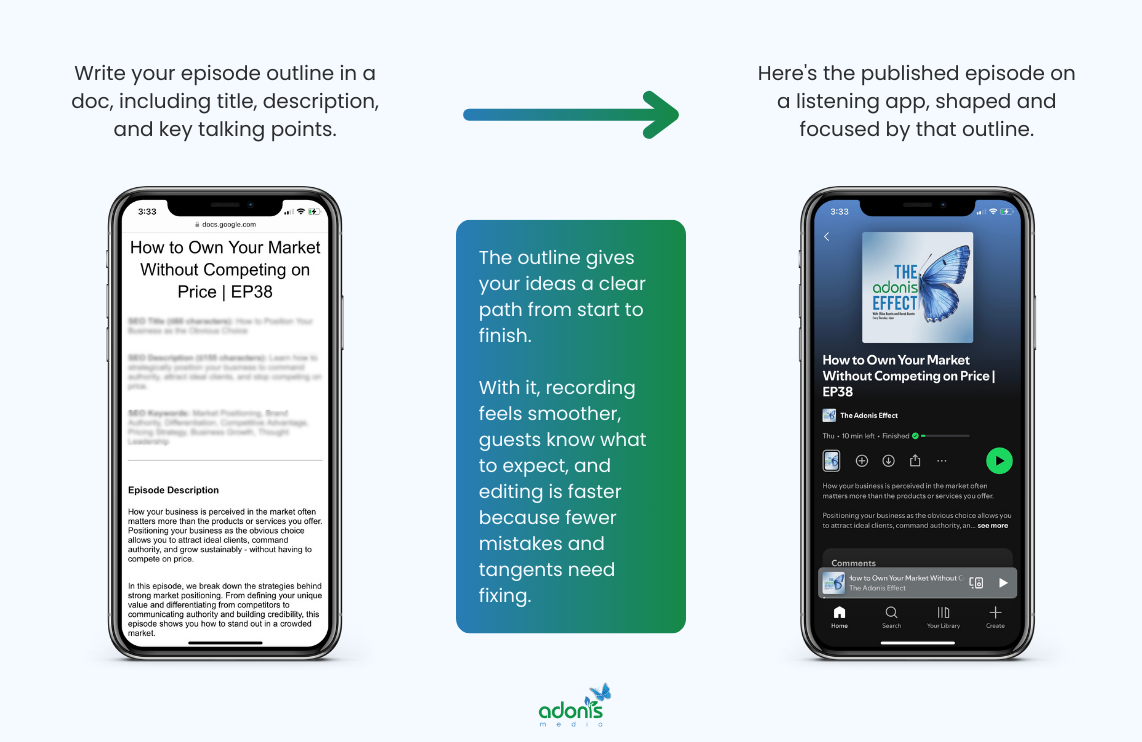
Outline Your Episode Content
Before you hit 'record', create a clear outline or roadmap for your episode. Even experienced podcasters rely on this.
For a solo podcast, jot down your main topic and break it into sections with key points, facts, or personal stories you want to share. If you're interviewing a guest, list your main questions in advance and allow some space for follow-ups or spontaneous moments.
A good episode outline includes:
- An engaging introduction and welcome
- Your episode's focus or main theme
- Structured segments or "chapters"
- A personal story, case study, or example to make it memorable
- A clear closing and sign-off
Short bullet points work well; you don't need a word-for-word script unless that helps you stay confident. If you're new or nervous, reading a draft aloud can highlight where things feel awkward or off-topic. This makes everything feel natural and helps you avoid awkward pauses.
Record and Establish Your Style
When it's time to record, aim for a quiet and comfortable space. As mentioned, test your mic and equipment before starting — just a minute or two of test audio will help you spot problems early. Position your microphone about a fist's width from your mouth and slightly to the side to avoid sharp "p" or "t" pops.
If you make a mistake or stumble on a word, just pause and start that sentence again. Editing will tidy this up later. Don't aim for perfection — focus on sounding clear and like yourself. Try to keep your pace steady, your tone friendly, and if possible, have a glass of water handy to keep your voice strong.
Recording your first episode might feel tough, but each session helps you improve. Review your episode afterwards, even if it feels uncomfortable at first. Listening back is the best way to spot areas to improve and ensure your style matches the vibe you want for your show.
8. Edit Your Podcast Audio
After your recording, editing helps polish your episode so it sounds clear and professional. Use the editing software you chose to tidy up mistakes, remove distractions, and add music or transitions that fit your brand.
Clean Up Your Recordings and Add Music
Start by listening to your episode from start to finish. Your main goal is to remove anything that sounds distracting or off-topic. That means:
- Cutting out mistakes, long silences, or "uhms" and "ahs."
- Trimming any chit-chat or tangents that don't add value.
- Removing background noise and pops with built-in software features.
Most podcast editing software — like Audacity, GarageBand, Riverside, or Descript — lets you split tracks, cut sections, and adjust volume with simple drag-and-drop tools.
After doing so, upload and add the intro, background, and outro music to their respective places on your podcast.
Polish and Finalise Your Episode
Before exporting your podcast episode, always give the audio a final listen to check that volume levels stay balanced across the show, guest voices are consistent so listeners don't need to adjust the volume, and your file is exported in a widely supported format like MP3 or WAV (for best results, set the sample rate to 44100 Hz and use a constant bit rate).
Save your edits and export a finished file that's sized for podcast platforms. Most hosts recommend MP3 format set to 128-192 kbps for best results. If you plan on sharing your podcast on Spotify, Apple Podcasts, or other directories, follow their upload rules for file format and episode length.
Editing takes practice, but each episode gets easier. Try watching YouTube tutorials or reading beginner guides for your chosen software. Many programs offer step-by-step help inside the app itself.
9. Publish Your Podcast Online
Once your episodes are ready, upload them to a podcast hosting service and submit your show's feed to major directories. This step puts your podcast everywhere your audience listens, making it simple for people to find and follow you.
Upload Episodes to a Podcast Host
Start by picking a reliable podcast host. These services store your episodes and send them to platforms like Spotify or Apple Podcasts using something called an RSS feed. Some of the most trusted hosts include:
- PodBean: All-in-one solution, great for beginners and pros
- Buzzsprout: Simple and easy to use, perfect for first-timers
- Spotify for Podcasters: Free hosting with useful tools
- Libsyn: Established and widely used in the podcast community
- Transistor: Strong analytics and unlimited hosting
- Acast: Flexible for monetisation and growth
Submit to Major Directories
Once your episodes are hosted, submit your RSS feed to major directories. This puts your show where people listen most:
Search for submission instructions on each platform's website — they provide step-by-step directions. After you set up, your podcast will update automatically whenever you publish a new episode.
The wider you submit, the easier it is for new listeners to find your show and subscribe.
10. Promote and Grow Your Podcast
With your podcast live, focus on building an audience. Share episodes on social media, team up with other creators, and repurpose your content into video clips or blog posts to reach more people. Active promotion helps turn first-time listeners into loyal fans.
Use Social Media to Reach More Ears
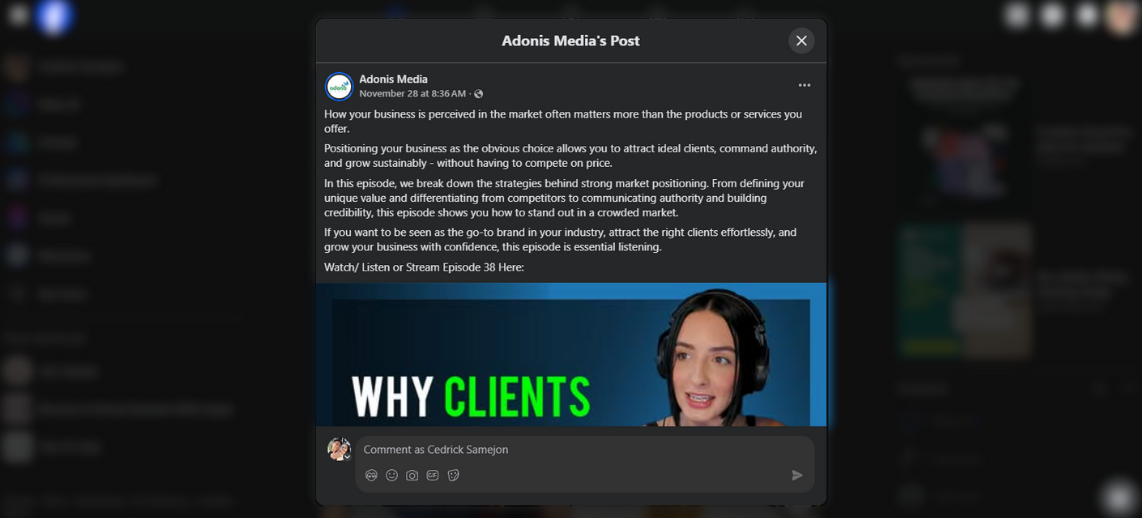
Social platforms like Instagram, LinkedIn, Facebook, Twitter/X, and even TikTok are perfect for getting your podcast in front of new people.
Here's how to put them to work:
- Create short video clips or quote cards from your best moments. Bite-sized content works well and is shareable.
- Show your setup, recording day, or planning process.
- Build excitement for new episodes and let people know when to tune in.
- Respond to comments, ask for topic ideas, or run simple polls.
Even if you only post once or twice a week, regular updates remind people to listen and share your show with others.
Collaborate and Network for Growth
Podcasting isn't a solo journey. Collaborate with others to help your show grow faster.
- Invite guests: Interview experts or interesting people in your field. They often share the episode with their own followers, giving you instant access to new audiences.
- Be a guest on other podcasts: This puts you in front of established listeners who already like podcasts, giving you a chance to showcase your expertise.
- Cross-promote with similar podcasts: Swap mentions, share each other's social posts, or do joint topics. This works best if your shows serve the same kind of listeners.
- Partner for giveaways or joint content: Running a giveaway, contest, or joint event can draw attention and boost engagement.
Collaboration opens doors to new listeners and often leads to long-term relationships with other podcasters and industry insiders.
Repurpose Your Content — Especially If You Use Video
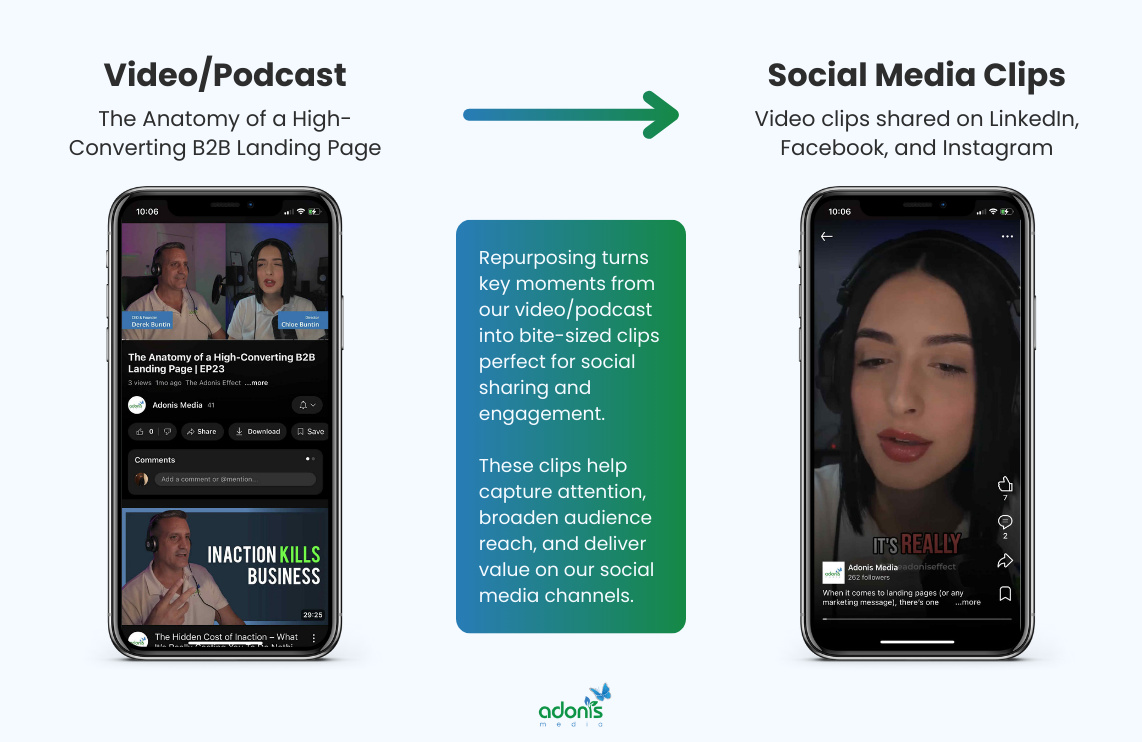
Repurposing is taking your main recording and breaking it down into other useful content. This maximises your reach without much extra work.
- Video podcasts thrive on YouTube and social channels: Record video along with your audio, then upload to YouTube. Even short video clips can go on Instagram Reels, TikTok, or LinkedIn.
- Turn clips into audiograms: Short, captioned audio animations help people preview your show at a glance.
- Create blog posts or articles: Use transcripts or summaries for SEO, so new listeners can find you through Google.
- Pull quotes for social graphics: Share the best tips or soundbites as images across your channels.
- Email newsletters: Round up new episodes, highlight guest content, or share extra resources.
If you have video, film your recording sessions, behind-the-scenes chats, or even reactions to big events. Modern listeners expect to see your face — and video is proven to boost engagement and shares across platforms.
Monetisation Basics (for Later)
Monetising a podcast does not have to happen on day one. In fact, it is usually better if it does not. First, focus on making great episodes and building a loyal audience. Then, once people know and trust you, you can start adding simple ways to earn money from your show without hurting the listener's experience.
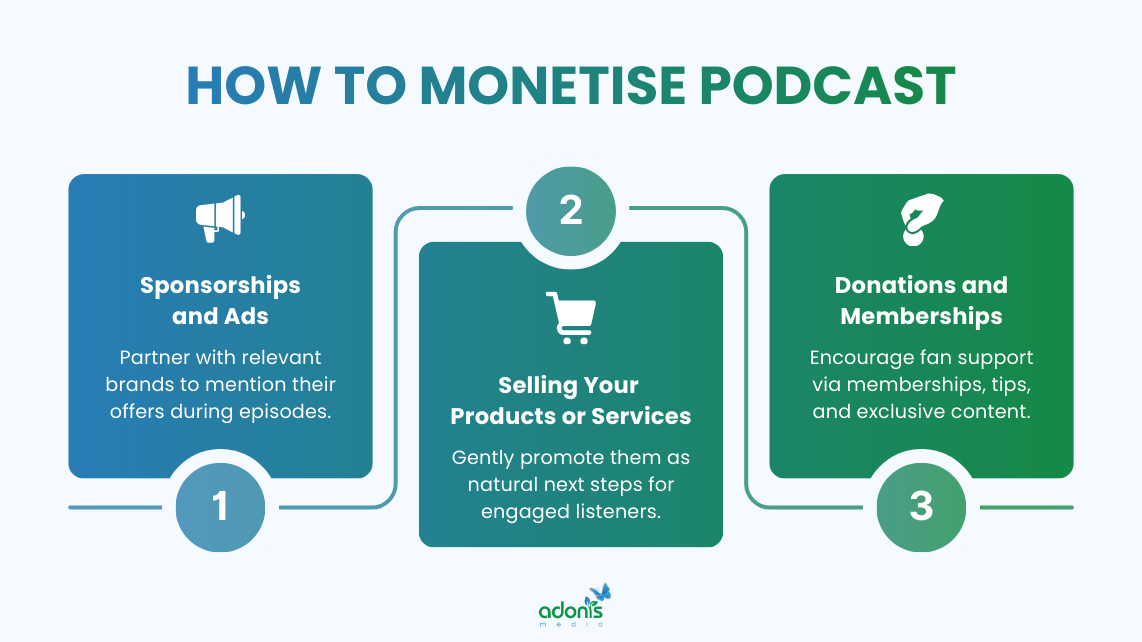
Sponsorships and Ads
These are the common ways to make money from a podcast. A sponsor is usually a company that pays you to mention their product or service during your episode. Many listeners are used to this, as long as the ads feel honest and relevant to the topic.
There are a few simple ad styles that most podcasters use:
- Host-read ads: You read the ad yourself, in your own voice, which feels more personal and often works better.
- Pre-roll and mid-roll spots: A short message at the start or in the middle of the episode.
- Sponsored segments: A longer section of the show that covers a topic linked to the sponsor.
To make sponsorships work, you need a clear idea of who listens to your podcast. If your listeners are B2B buyers, founders, or other professionals in a clear niche, that is very valuable. Even a small but focused audience can attract sponsors if your show reaches the right type of person.
You can start with small deals, such as a free product in exchange for a mention, and grow into paid campaigns as your show gets stronger.
Selling Your Own Products or Services
Instead of being paid to talk about someone else's offer, you can also use your show to gently guide listeners towards your own solutions.
This works well because regular listeners already know your voice and your point of view. Over time, they see you as a guide in your subject. So when you mention your course, consultancy, template, or software, it does not feel random. It feels relevant.
You can make this easier with a few simple moves:
- Mention your offer naturally in each episode, without pushing too hard.
- Add clear calls to action such as 'Download the guide in the show notes' or 'Book a free intro call'.
- Create landing pages or simple offers just for podcast listeners, so they feel special and more likely to act.
If your episodes are genuinely helpful, listeners will not mind short, honest mentions of your own products or services. In many cases, they will welcome it because you are giving them a clear way to go further with you.
Donations and Memberships
Donations and memberships open the door to steady support from your listeners. Some will chip in with a one-time tip, while others prefer joining a membership for special perks or extra episodes.
You actually do not need to be a tech expert to get started. There are platforms built just for creators like you that make donations, memberships, and exclusive content easy to manage. You can offer bonus episodes, ad-free content, newsletters, or even early access to your main episodes.
If you want to explore popular platforms, here are some to consider:
- Patreon: Great for setting up memberships and offering bonus content or private feeds. It's widely used by podcasters and lets you interact with your supporters in a private space.
- Buy Me a Coffee: Let listeners support you by 'buying a coffee' — either as a one-off tip or via monthly membership.
- Ko-fi: Similar to Buy Me a Coffee. Supporters can donate once or subscribe for extra perks. No monthly platform fee makes it easy to test out.
- Podfan: Built specifically for podcasters — offers monthly support, exclusive episodes, and private podcast feeds directly for members.
- Apple Podcasts Subscriptions: Lets you offer premium subscriptions for ad-free or exclusive episodes, built right into Apple's podcast app.
- Spotify Podcast Subscriptions: Offers paid access to exclusive content, making it easy for listeners already on Spotify.
- Podbean Patron Program: All-in-one solution for hosting, running private shows, and gathering monthly patron support.
- Supercast: A platform focused on paid podcast subscriptions and managing your paying audience with private feeds.
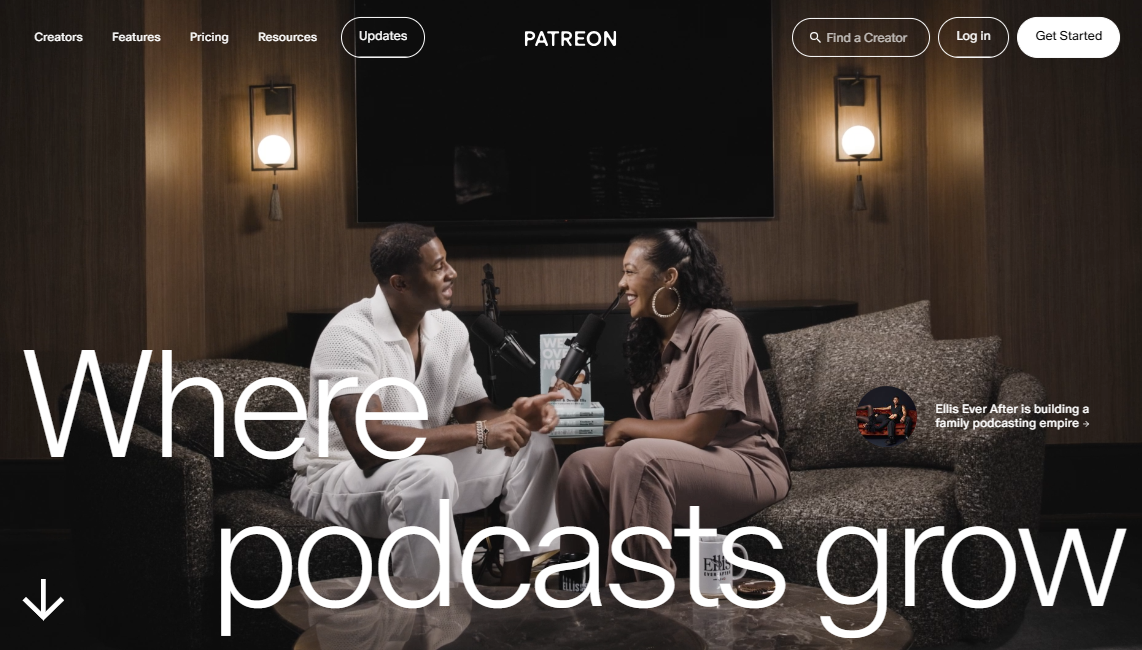 Website screenshot: patreon.com
Common Mistakes New Podcasters Make
Starting a podcast is exciting, but some pitfalls can trip you up along the way. Knowing these common mistakes will help you avoid them and keep your show running smoothly and enjoyable for your listeners.
Overcomplicating Tech and Gear
Many people think they need fancy equipment to start a podcast. This is not true. You do not need studio microphones, mixers, or paid software right away. What matters more is clear audio, a quiet space, and a message people want to hear.
You can always upgrade later if your show grows. Focus first on making good, honest content and getting familiar with basic recording. If you keep gear simple, you will be able to record, edit, and publish without stress.
Keep in mind that podcast listeners care most about what you say and how you say it.
Inconsistent Posting Schedule
If you post episodes now and then, with big gaps in between, people will quickly forget your show. It is better to set a simple schedule you can keep up with. This could mean recording once a week, twice a month, or whatever fits your life and business.
To avoid this, try batching your recordings. Make a few episodes at once so you always have something ready to share. Keep your editing and publishing steps as simple as possible.
Poor Sound Quality and Long Rambles
Sound quality matters more than most people think. Many new podcasters use a built-in computer or phone microphone and hope for the best. But poor audio — echoes, background noise, or uneven volume — can make listeners turn off your show after a few minutes.
You do not need to spend a lot of money. Simply picking a quiet room, using a basic USB microphone, and wearing headphones can make a big difference. Add a pop filter to your mic to help with harsh 'p' or 'b' sounds. Before you record, test your equipment and do a short trial run. Speak at a steady distance from the microphone.
When you edit, trim out loud breaths, long silences, or sudden noises. Basic software like Audacity or GarageBand works well and is free for most users.
Giving Up Too Soon
Podcasting takes patience. Many beginners quit early, thinking they will become popular overnight. But building a good show and finding fans takes time. The first episodes might have a few listeners, or none at all. And that is normal!
Do not judge your podcast after one or two episodes. Keep posting regularly, improving your format and style, and learning from feedback. Most podcasts begin slowly, and those who stick to it end up with more loyal fans and bigger growth over time.
If you need help, join online groups, watch tutorials, or ask for tips from other podcasters — they have all been there too.
Further Learning
Looking to learn more? I've collected some fantastic resources that go hand-in-hand with this topic if you want to dive deeper.
- riverside.com — Podcast Statistics and Trends for 2025 (& Why They Matter)
- riverside.com — Ultimate Podcast Directories Guide: Where to Submit Your Show
- backlinko.com — Podcast Statistics You Need To Know
- searchenginejournal.com — 54% of Podcast Listeners Likely to Buy From Brands They Hear Advertised
- reddit.com — Reddit r/podcasting Thread: "Beginner podcaster: If you were going to start a podcast now how would you do it?"
- reddit.com — Reddit r/podcasting Thread: "What is the ideal length (in minutes) for a podcast episode?"
- reddit.com — Reddit r/podcasting Thread: "How Do I Create A Music Intro?"
- reddit.com — Reddit r/podcasting Thread: "Podcasters - How do you monetize your podcast? What's your favorite service?"
Turning Ideas Into Podcasts That Connect
Starting a podcast can feel like a big job, but it's really about taking small, honest steps and learning as you go. With the right focus, you'll find your voice, reach listeners, and see your show improve over time.
Always put value first. Make episodes that help, teach, or entertain your audience. You don't need fancy gear or perfect editing. Just keep things simple, stay consistent, and always keep your listeners in mind.
Ready to turn your podcast into a powerful part of your marketing strategy? Book a free consultation with our team today. We'll help you plan content, grow your audience, and make podcasting work for your brand to reach more customers and build trust over time.
Got a question in mind? Check out the FAQs below for quick answers!
